
Join the Daily Income Machine Chat
Instructions
Here are the exact steps to follow to join the Channel:
1) I Downloaded the Telegram App off the Apple App Store or Google Play store — Make sure it is this APP below
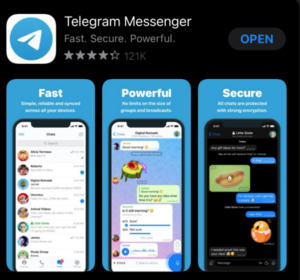
2) Create an Account In the Telegram App– fill in your name, email and phone number (if it is on a phone they may text your phone number a code you have to enter)
3) Fill out the form below to activate access to the Telegram Channel. Once activated, revisit this page, and scroll down. In the section below you will find the button to join the Telegram channel.
4) Clicking the link with the device that you have Telegram on will automatically open up the Telegram App to our channel and ask if you want to join… say yes and you are in!
Once you’ve activated Telegram using the instructions above, fill out this form providing your username to activate the Join Link for the Telegram Channel.
Once you’ve activated Telegram and provided your username, you will see the join link below.
* If after filling out the form you don’t see the button to join, please refresh your account using the link below. If after a refresh, it still doesn’t appear, please reach out to [email protected] for more help.